
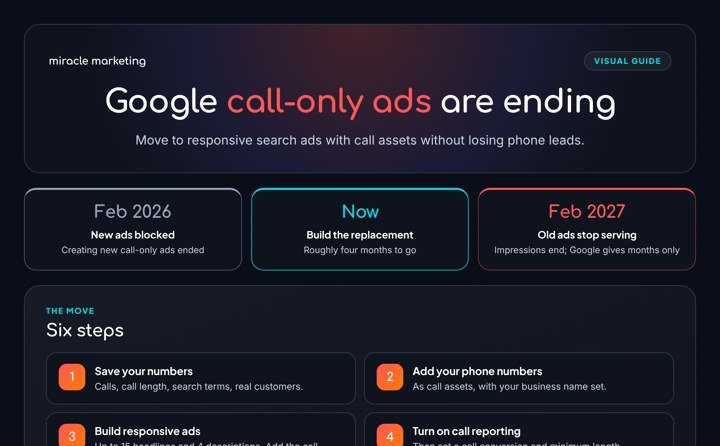
If you run Google Ads to get phone calls, one ad type is going away. Google has removed the option to create new call-only ads, and the ones still running stop getting impressions in February 2027. Google gives months, not exact days. Here is what to do in the time you have left.
What is changing
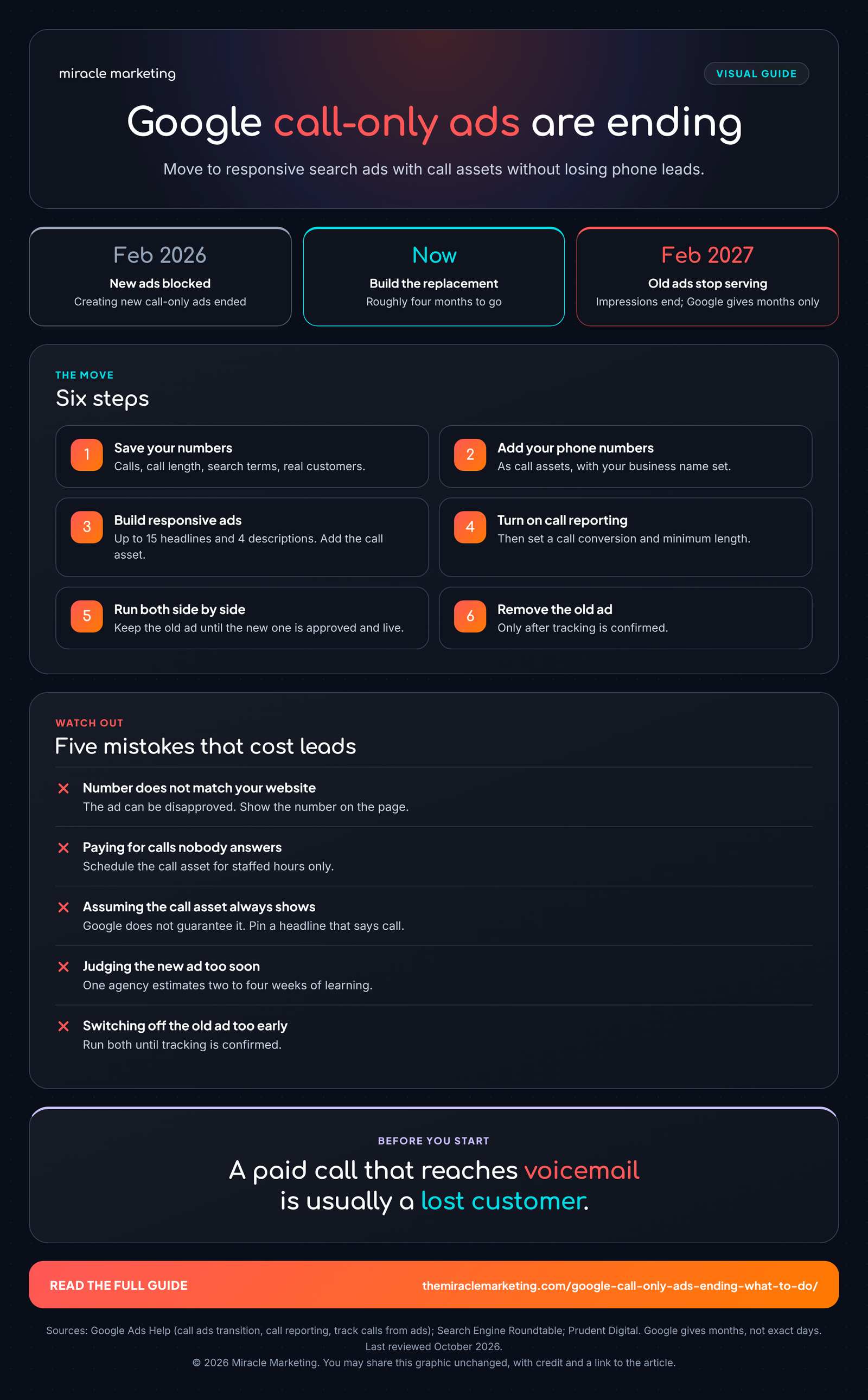
- February 2026: new call-only ads can no longer be created.
- February 2027: existing call-only ads stop serving.
- Replacement: a responsive search ad with a call asset attached.
Google's help pages do not say that old ads are converted for you, so you have to build the replacement yourself. They also say nothing about how reporting will change. Google strongly recommends moving now instead of waiting for the deadline.
Step 1: Save your numbers first
Before changing anything, write down what your current call ads deliver. For each campaign, note the number of calls, call length, the search terms that triggered them, and how many calls became real customers. You will need this to judge the new ads fairly, and it is the part most people skip.
Step 2: Build the replacement
- Add your business name to the account or campaign settings.
- Add every phone number you use as a call asset. It must follow Google's policy.
- In each ad group, create a responsive search ad. These need a final URL, up to 15 headlines and up to 4 descriptions. Reuse the wording that got the best response from your old ad.
- Attach the call asset under More Asset Types.
- Keep the old call ad running until the new ad is approved and getting traffic.
- Only then remove the old ad.
Step 3: Set up call tracking
Turn on call reporting in your account settings. Google then routes calls through a forwarding number and reports start time, whether the call was answered or missed, and the caller's area code. A tap on the ad is billed like any other click. Google says it does not charge for people who dial the forwarding number by hand.
Then create a call conversion under Goals and choose a minimum call length that fits your business. Google can count a call by its length or by analyzing a recording. The help page does not state a default length, so pick one yourself. Make calls a primary conversion if phone leads are your goal.
Five mistakes that cost local businesses leads
The number does not match your website
If the number in the ad differs from the one on your landing page, the ad can be disapproved. Make the number visible on the page.
You pay for calls nobody answers
Use ad scheduling so the call asset runs only when someone can pick up. A paid call that reaches voicemail is usually a lost customer.
The call asset does not always show
Google does not guarantee it appears with every ad, so the ad must make sense without it. Pin a headline that tells people to call. A responsive ad also carries a link, so some people will visit the site instead. Make the page easy to act on.
You judge the new ad too soon
Responsive ads test combinations, so they need time. One agency estimates two to four weeks of learning. Compare against the numbers you saved in step 1, not against a single bad week.
You switch off the old ad too early
Run both side by side until tracking is confirmed. Then remove the old one well before the cutoff.
What nobody knows yet
We found no published comparison of call volume or cost between the old and new formats, so any promise that results will improve or hold steady is a guess. Treat the first month as a test and measure it.
Our take
We manage Google Ads for clients, so we have a stake in this. Our honest view: the format change is a smaller risk than the habit it exposes. Many accounts pay for calls, then lose them to voicemail, closed hours or slow callbacks. Fix that first. Schedule the ads around staffed hours, and if you cannot staff every call, look at an AI employee that answers and books so the clicks you pay for are not wasted. If you want a second pair of eyes on your account, see our paid advertising service.
One more caution. If you record or analyze calls, check the notice rules where you and your callers are located. Google's pages do not cover this.
Sources
- Google Ads Help: transition from call ads to call assets
- Google Ads Help: how to transition
- Google Ads Help: call reporting
- Google Ads Help: track calls from ads
- Search Engine Roundtable: the dates
- Prudent Digital: transition guide
Keep reading
Book a strategy call. We will look at how customers reach you today and tell you honestly where to start.
© 2026 Miracle Marketing. This article and its graphics are protected by copyright, so please do not copy them without permission. You may share a graphic unchanged, with credit and a link to the article.